Export object from SolidWorks Visualize to format *.GLB (the binary format).
Option 1: (through SolidWorks)
- Enable Visualize add-in
- Open “SOLIDWORKS Visualize” tab
- Click “Export advanced” or “Export Simple” (groups bodies by color)
option 2: (only using Visualize standalone)
- Open solidworks visualize (standalone program)
- In “File” menu click import (or Crtl + I) and select your model (N.B deselect “snap to floor”)
In SolidWorks Visualize
-
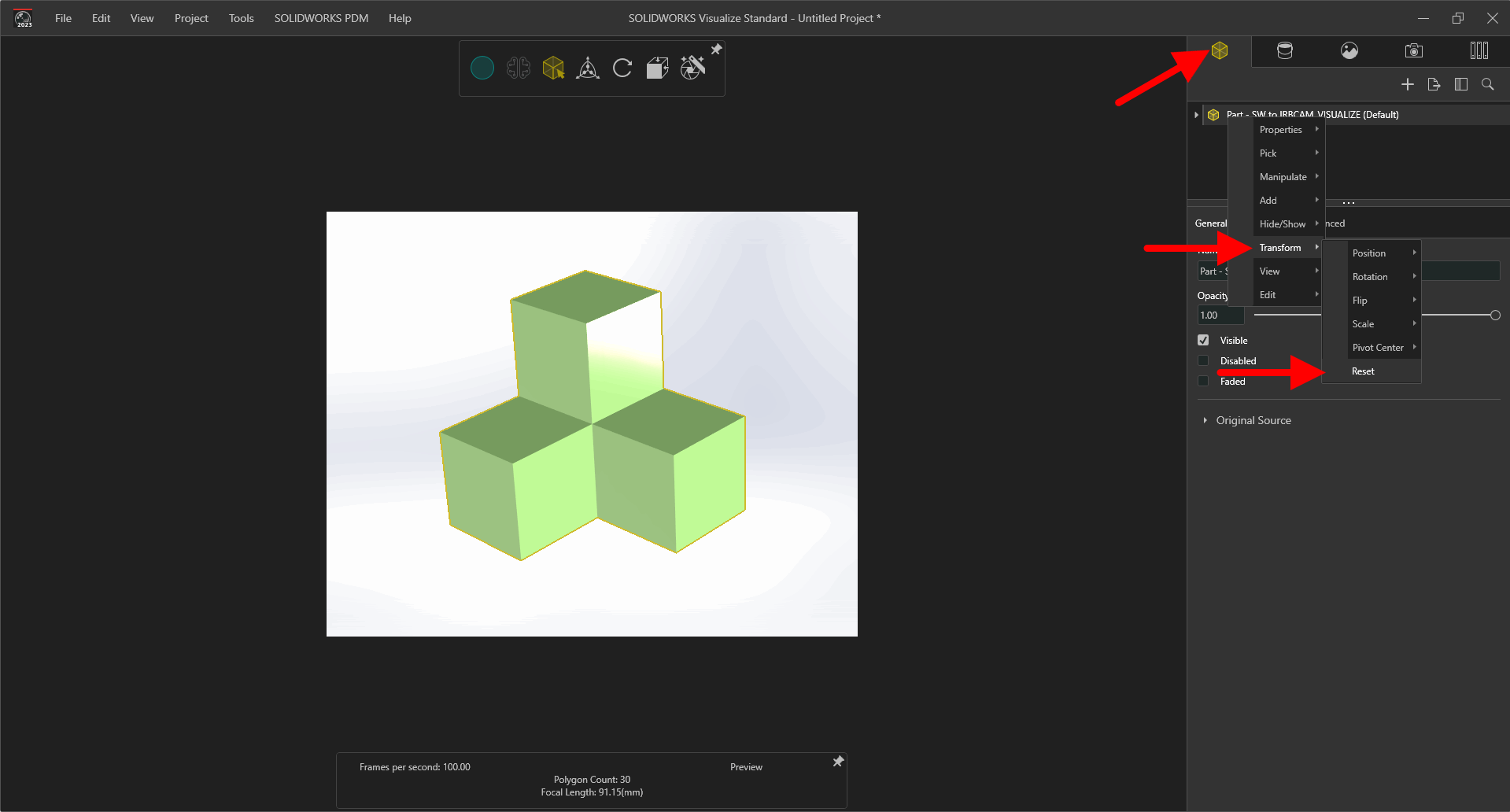
Reset coordinate system (defaults to “snapt to floor”):
open “Models” tab (yellow cube) → right click on your model → Transform → Reset -
In “File” menu click export → “… Project” or “… selected models and parts”
-
Save as type: "Binary GL Transmission Format (*.glb)
- In IRBCAM
- Edit - Additional Objects - Add - User defined
- Click on Source: “No source selected”
- Click on Upload: Select *.GLB file from step 2 and give the object a name
- Select the new named object from the list
- Position, rotate or scale the object in IRBCAM as needed
